
Many container connection bugs come from using the right port with the wrong point of view. A developer publishes PostgreSQL as 15432:5432, verifies that a desktop client reaches localhost:15432, and then gives the API container the same address. The API fails because its localhost is not the host and the host port is not the normal path between Compose services.
Docker networking becomes predictable once you ask three questions: where does the client process run, which networks does it share with the server, and is the target port a host port or a container port?
localhost belongs to the current network namespace
In a normal Linux container, the loopback interface belongs to that container's network namespace. If an API container connects to 127.0.0.1:5432, it looks for PostgreSQL inside the API container. It does not automatically jump to the Docker host or another container.
The same rule explains why a process must listen on an appropriate interface. An application listening only on 127.0.0.1 inside its container cannot accept traffic arriving on the container's external interface. Web servers intended for container traffic commonly listen on 0.0.0.0 while access is restricted by network topology, firewalls, and authentication.
Compose gives services stable DNS names
By default, Compose creates one project network and connects each service to it. Services on that network can discover one another by service name. If the database service is named db, the API should use db as the host. Container IP addresses can change when services are recreated; the service name remains the stable reference.
| Client location | Database mapping | Address to use |
|---|---|---|
| API container on the same Compose network | 15432:5432 | db:5432 |
| Developer tool on the Docker host | 15432:5432 | localhost:15432 |
| Container with no shared network | Any mapping | No service-name route until networking is configured |
Open connections to an old container do not magically transfer after recreation. Clients must detect the closed connection, resolve the service name again, and reconnect. Stable DNS removes hard-coded IP addresses; it does not remove connection lifecycle management.
Host ports and container ports solve different problems
In "8080:80", port 8080 belongs to the host and port 80 belongs to the container. Publishing is required when a client outside the Compose network needs a route into the service. It is not required merely so two services on a shared network can communicate.
A database used only by the API should generally avoid a host port. That reduces accidental exposure and avoids host-port collisions. It is not a complete security control: authorization, credentials, network policy, patching, and encrypted transport still matter.
Segment a three-tier stack with named networks
services:
  proxy:
    image: nginx:1.27-alpine
    ports:
      - "8080:80"
    networks:
      - frontend

  api:
    build: ./api
    environment:
      DB_HOST: db
      DB_PORT: "5432"
    networks:
      - frontend
      - backend

  db:
    image: postgres:17-alpine
    networks:
      - backend

networks:
  frontend:
  backend:
    internal: true
The proxy and API share frontend; the API and database share backend. The proxy has no route to the database because they share no network. Marking the backend network internal further restricts external connectivity through that network. The API remains attached to the frontend network, so its overall connectivity depends on both attachments.
This topology is useful, but avoid claiming that network separation alone creates a secure production system. A compromised API can still reach the database because that connection is required. Use least-privilege database roles and secrets, validate inputs, and monitor traffic.
DNS resolution is only the beginning of a successful connection. After resolving db, the client still needs a route on the shared network, a server listening on the expected interface and port, and a protocol-level handshake that succeeds. An authentication error proves more network progress than a timeout. Preserve that distinction in alerts: DNS failure, connection refusal, timeout, TLS error, and rejected credentials point to different layers and should not be collapsed into “database down.”
A systematic debugging workflow
docker compose config
docker compose ps
docker compose exec api getent hosts db
docker compose exec api sh -lc 'nc -vz db 5432'
docker network ls
docker network inspect myproject_backend
Minimal images may not contain getent, nc, or a shell. Do not mutate a production container just to debug it. Use an approved diagnostic image on the same network, or use runtime-native DNS and socket diagnostics already included in the application. Start by confirming the rendered Compose configuration, shared network membership, DNS resolution, listening address, and target port in that order.
Common networking mistakes
- Using
localhostto address a different container. - Using the published host port for traffic between services.
- Hard-coding a container IP that changes after recreation.
- Attaching services to different networks and expecting service DNS to bridge them.
- Publishing a database port to every host interface without a real need.
- Assuming
exposeis an authentication or firewall boundary.
Networking and startup intersect. The Compose health-check guide shows how to wait for db:5432 to become useful, while the Docker storage guide explains how the same database keeps its state when its container IP changes.
Frequently asked questions
Can a container use localhost to reach the Docker host?
Not as a portable default. Docker environments provide platform-specific host access mechanisms, but service-name DNS is the correct path between Compose services. Document any host dependency explicitly.
Do containers need ports entries to talk to one another?
No. Services sharing a network communicate on the destination container port. A ports entry publishes a route from the host or external interface.
Should an application use a container IP?
No. Use the service name or an intentional network alias. A recreated container can receive a different IP while keeping the same discoverable service name.
Where can I verify these rules?
Docker documents Compose networking and service discovery and provides a broader Docker networking overview.
Check the mental model
The linked mock includes service DNS, localhost, host-port mappings, storage, probes, and Kubernetes rollout behavior.
A practical assessment covering Docker Compose health checks, container DNS and storage, Kubernetes probes, resources, OOM diagnostics, and safer rolling updates. Start the trivia-style player right inside the article.Docker and Kubernetes Production Readiness Mock Test
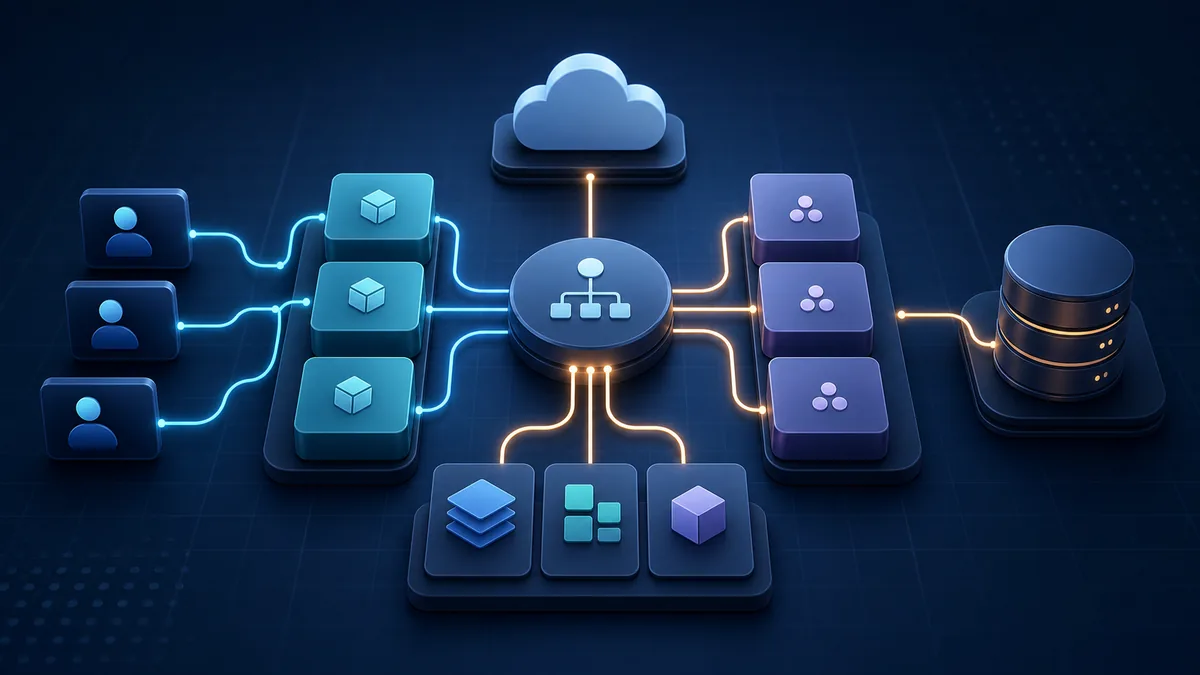
Practical takeaway: identify the client's network namespace first, then connect through a shared network using a stable service name and the destination container port.

Discussion
0 comments
Ask a question or share what stood out to you.